ip
Fickle User Guide
Credits:
- Background Image - Photo of Gullfoss by Sarah Thorenz on Unsplash
- Fickle Chatbot and User Avatar Images: Images generated by ChatGPT
Quick Overview
Fickle keeps your tasks organized so you can focus on what matters.
- Text-based and fast to use 🏎️
- Easy to learn — you can start right away ✏️
- Simple and clear commands ✔️
- Keep ALL your tasks organised in one place 📆
Important Notes
Before jumping in the feature list, here are some key points for your knowledge.
- ALL command words are case-insenstive :
listandLISTwork the same. - Words in UPPER_CASE are mandatory parameters.
- Words in [square brackets] are optional parameters.
- Use exact format for tags in Deadline (
/by) and Event(/from,/to). No spaces or uppercase inside the tags.
Features List
1. Adding a Todo task
Adds a simple task without a date/time.
Format: todo TASK_NAME
Example: todo buy groceries
Note: Duplicate Todo names are NOT allowed.
2. Adding a Deadline task
Adds a task with a due date/time.
Format: deadline TASK_NAME /by DATE [time]
Examples:
deadline Assignment1 /by 10/3/2023: Due at March 10 2023, with default time of 12:00AM.deadline Assignment1 /by 10/3/2023 2000: Due at March 10 2023, 8:00PM.
Notes:
- Duplicated deadlines (same name + due date/time) are NOT allowed.
- Date format:
d/M/yyyy(2/6/2025 or 02/06/2025). - Time format:
24-hour(default 00:00 if omitted).
3. Adding an Event task
Adds a task with start and end date/time.
Format: event TASK_NAME /from DATE [time] /to DATE[time]
Examples:
event book fair /from 10/2/2025 /to 20/2/2025event book fair /from 10/2/2025 1000 /to 20/2/2025
Notes:
End timecannot be beforestart time.- Duplicated events (same name + same date/time + end date/time) are NOT allowed.
- Date format:
d/M/yyyy(2/6/2025 or 02/06/2025). - Time format:
24-hour(default 00:00 if omitted).
4. Marking a Task
Marks a task at a specifc index as done.
Format: mark TASK_INDEX
Example: mark 1
Notes:
- Marking an already done task has no effect.
- Fickle’s task uses 1-based indexing.
- Task status:
[X]= done,[ ]= not done.
5. Unmarking a Task
Unmarks a task at a specifc index as not done.
Format: unmark TASK_INDEX
Example: unmark 1
Notes:
- Unmarking an unmarked task has no effect.
- Fickle’s task uses 1-based indexing.
- Task status:
[X]= done,[ ]= not done.
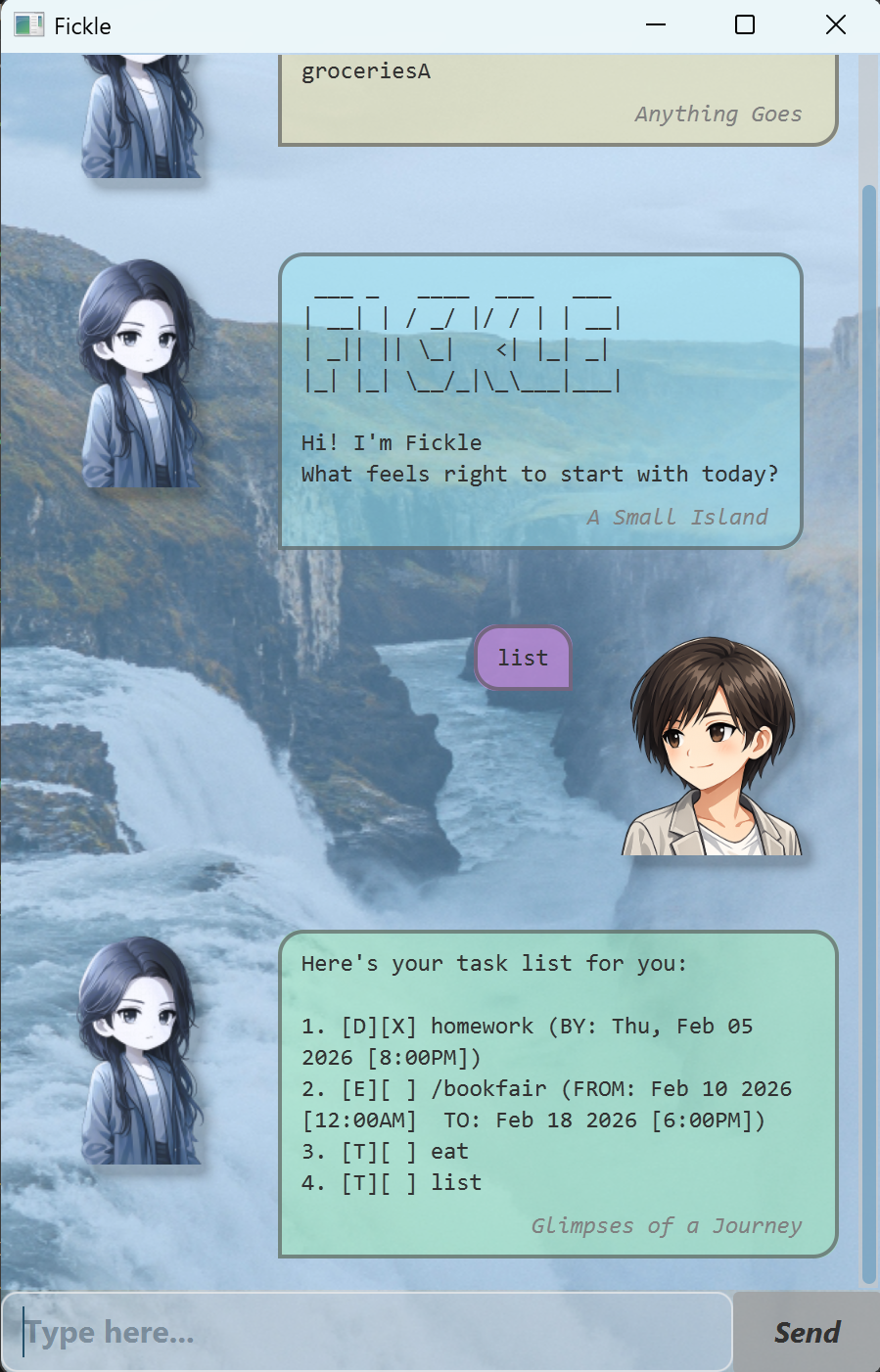
6. Listing all Tasks
Views all tasks with type, status, and date/time info.
Format: list
Notes:
- Do not add extra words after
list. - Example output:
[T][X] homeworkmeans a Todo task named homework is done.
7. Deleting a Task
Deletes a task at a specific index.
Format: delete TASK_INDEX
Example: delete 2
Notes:
- Deleted tasks CANNOT be recovered.
- Fickle’s task uses 1-based indexing.
8. Finding tasks by name
Searches tasks by keyword (case insensitive and partial match)
Format: find KEYWORD
Example: find book
Notes:
- Returns both tasks with names
return BooKandbookfairfor example above. KEYWORDcannot be empty.
9. Searching tasks by date
Views tasks scheduled for a specific date.
Format: schedule DATE
Example: schedule 3/10/2025
Notes:
- Display all
Deadlinetasks due on the specific date andEventtasks that include the date. Todotasks are not included.
10. Getting Help
Views help for a specific or all commands
Formats:
helphelp COMMAND_NAME
Command names supported :
todo, deadline, event, mark, unmark, list, delete, find, schedule, help, bye
11. Exiting the chatbot
Ends the chatbot session and closes the windows automatically.
Format: bye
Note: Do not add extra words after bye.
Installation Steps
- Download the latest
.jarrelease from here. - Navigate
cdto the folder where you saved the JAR file. - Run Fickle using:
java -jar fickle-v0.4.jar